
Service Testing using Kony Fabric Console
When configuring your Kony Fabric services, the first thing you must do, is to ensure the connectivity to the backend services is established properly by testing them from Kony Fabric console. For this module, you can use the application provided for the Sample BookStore application (Kony BookStore Sample) to try out service testing.
Testing a Service from Kony Fabric Console
First, import the provided application via the Apps section. Once you import the application, navigate to the NYTimes Integration service. You see that we have a list of pre-configured operations here :
GET_lists-date-list-json: Retrieves the list of bestsellers on a given date.GET_lists-format: Search for book lists by a given name.GET_lists-overview-format: Returns the latest bestsellers list.
The Testing mechanism in Kony Fabric console differs slightly based on the type of the service you configure. For Integration services, you can see Fetch Response and Test buttons to retrieve service data, as shown below :
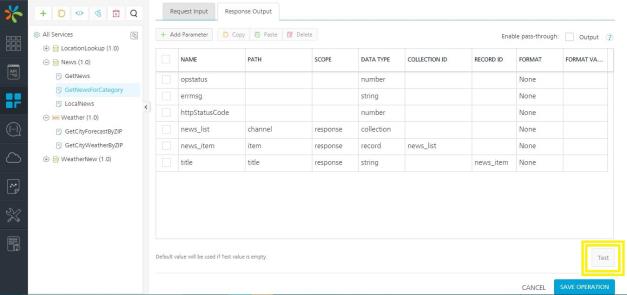
RAML, OpenAPIs, and Data Adapters behave slightly differently to make the experience better for you. For these services, you can see a Test tab on the Operation Details page. Lets look at one of the services in our BookStore application as GET_lists-overviewformat to understand a test scenario.
The service shows you the latest bestsellers list, based on the publishing date. Here's what the API doc says :
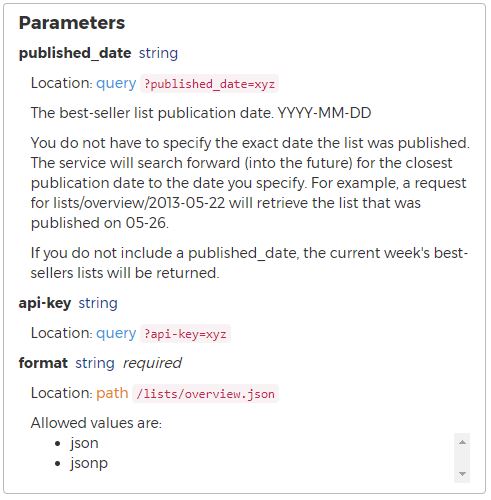
Let us see how Kony Fabric responds to a valid and invalid data in this API call. Once your services are configured properly and tested in Kony Fabric Console, you can deploy your service, and invoke it. Once a service is published, you can test the live API using Kony Log Server, or the Admin Console.
In the next section of this tutorial, we will dive deeper into debugging your live APIs.
| Copyright © 2015 Kony, Inc. All rights reserved. |