
Configuring the Security Settings of Quantum Fabric Engagement Server
The section explains how to configure security setting for Engagement Demo Application on Engagement server.
To configure the security settings, follow these steps:
- Open an Internet browser.
- Enter the URI: manage.kony.com in the address field and press the Enter key.
The Sign in to your Temenos Account page appears.

- Enter your email address and password. Click Sign in to continue.
The system displays the Quantum Fabric homepage.
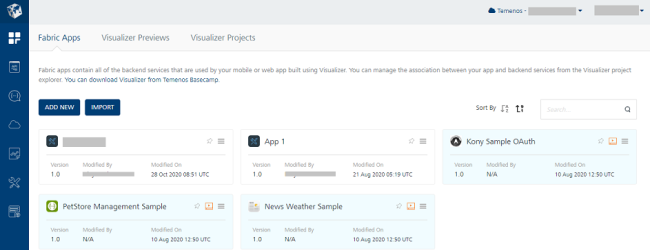
- Quantum Fabric home page: Click Environments in the left panel.
The Clouds page appears.
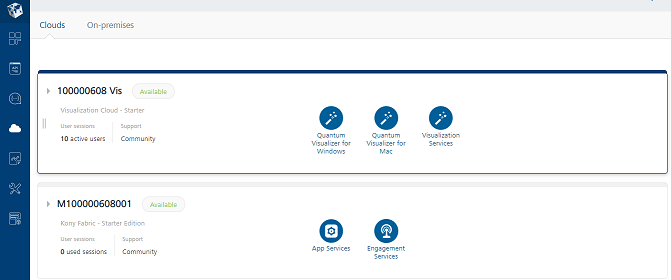
- Click the Engagement Services tab.
The Engagement Services home page appears.
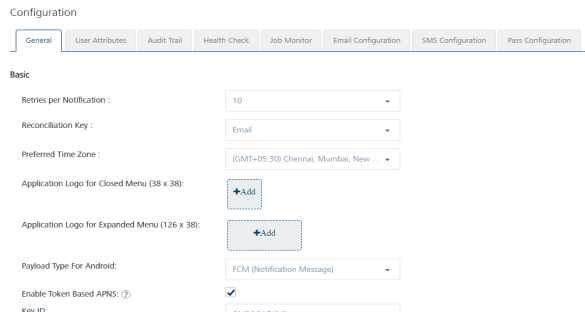
- Engagement services: In the left panel, click Configuration under the Settings section to view the configuration of your cloud environment. The Configuration page appears.
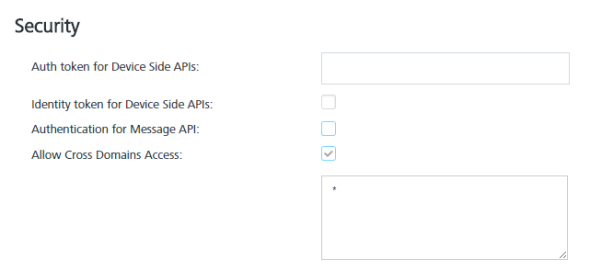
- Configuration > General > Security: Ensure that the Identity Token for Device side APIs and Authentication for Message API are not checked.
- Configuration > User Attributes: On the Configuration page, click the User Attributes tab.
The User Attributes page appears.
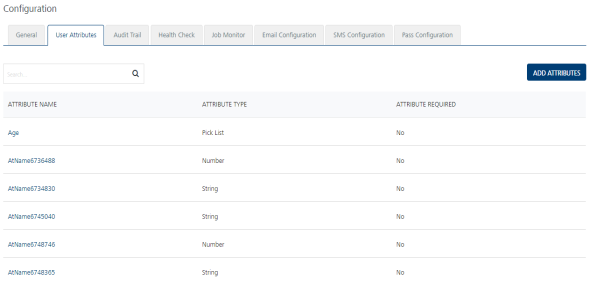
- User Attributes page: Ensure that none of the user defined attributes are required in the list-view. If user-defined attributes are not defined, then this step can be skipped.